What This Process Tested
A website smoke test should prove that a real visitor can become a real lead without the business process breaking. For sylvect.biz, that meant testing the deployed site, the intake form, Turnstile, Cloudflare Pages Functions, email routing, Calendly, resource pages, mobile layout, SEO basics, security headers, and production deployment behavior.
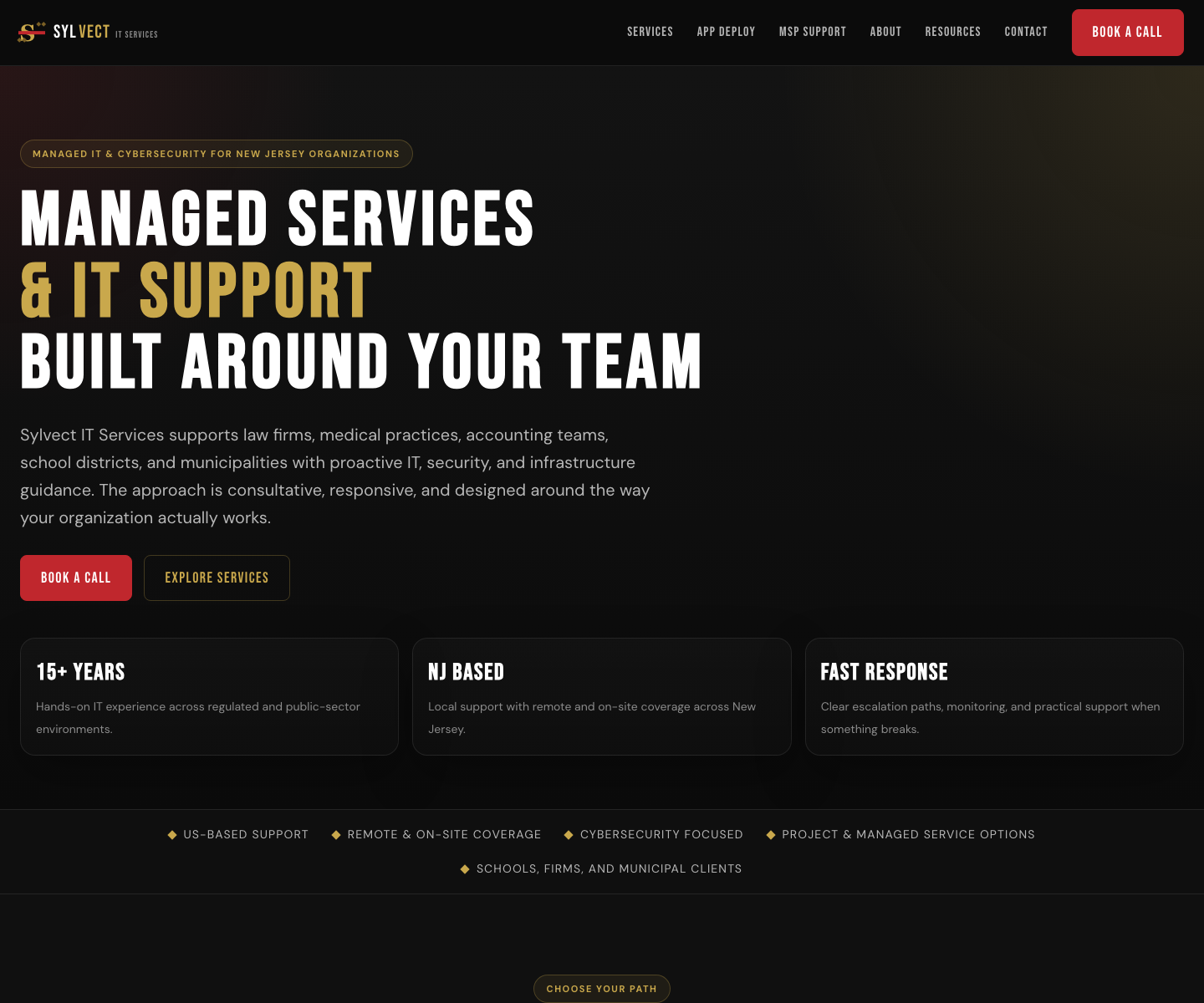
Prompt 1: Start With a Real Audit
Run a full live smoke test of the deployed website. Include all routes, nav, forms, lead capture, anti-bot checks, booking/scheduling, email delivery, redirects, SEO metadata, robots/sitemap, security headers, third-party scripts, desktop/mobile rendering, and performance. Do not change code. Use synthetic test data and clearly mark any live submissions as SMOKE TEST. Stop before any action that creates a real calendar appointment unless explicitly approved. Return a report with evidence, metrics, errors, and recommended fixes.This prompt matters because it separates audit from remediation. First observe the deployed system, then decide what should be fixed.
Production Availability
Before clicking through pages, check that the public site and important URLs return clean status codes.
| URL | Result |
|---|---|
https://sylvect.biz/ |
200 in 0.417s |
https://sylvect.biz/resources/ |
200 in 0.239s |
https://sylvect.biz/services/app-containerization/ |
200 in 0.423s |
https://sylvect.biz/thanks |
200 in 0.438s |
https://sylvect.biz/sitemap.xml |
200 in 0.369s |
curl -sS -o /tmp/home.html -w "home %{http_code} %{time_total}\n" https://example.com/
curl -sS -o /tmp/sitemap.xml -w "sitemap %{http_code} %{time_total}\n" https://example.com/sitemap.xml
curl -sS https://example.com/robots.txt
curl -sSI https://example.com/
The Lead Funnel
The intake form is the business-critical path. If a prospect fills it out and the owner never receives it, the website failed even if every page looks polished.
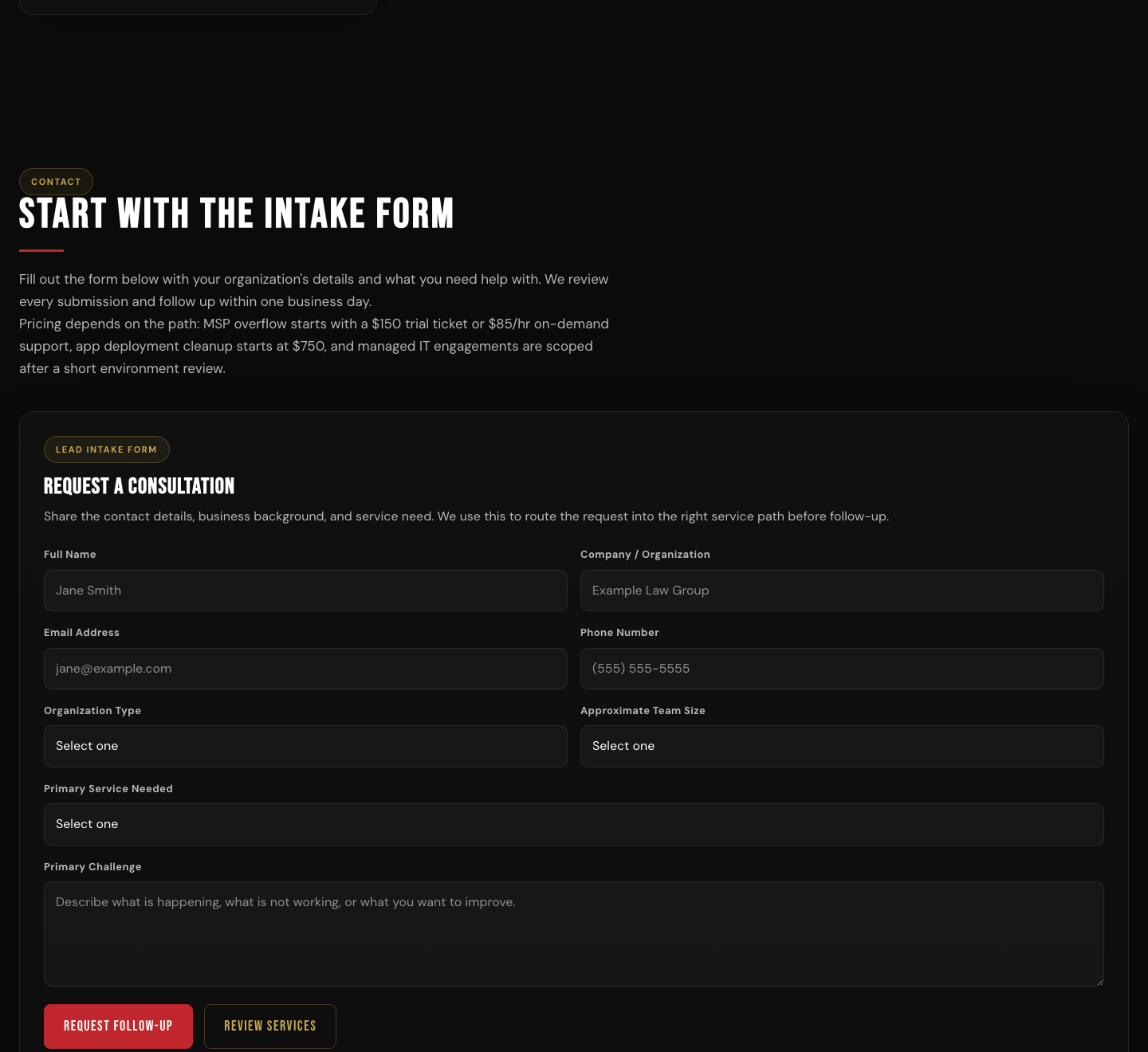
Test the lead form as a real prospect. Fill required fields with clearly marked SMOKE TEST data, verify anti-bot behavior, submit once, confirm the redirect, confirm owner notification delivery, confirm customer confirmation delivery, and verify no-token and honeypot guardrails. Do not modify production settings during the test.For the documentation rerun, the form was screenshot without sending another live lead. The earlier remediation pass had already verified live submission and owner notification routing.
Calendly After Submission
The thank-you page needed to show the next step after intake. The remediation restored the Calendly path, added CSP frame permission, and kept a direct booking fallback.
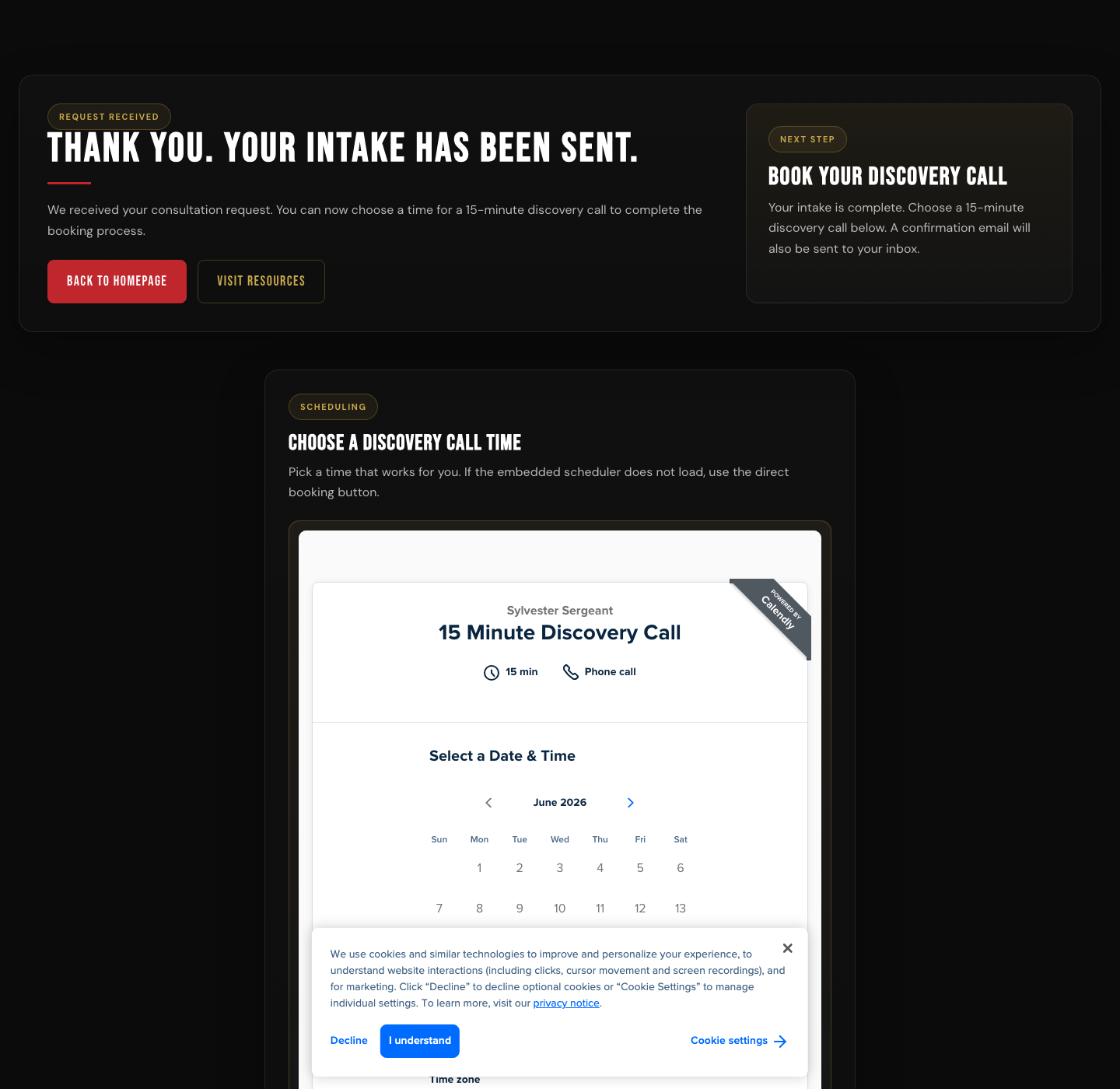
Verify the booking flow after lead submission. Confirm all booking CTAs, branded redirects, thank-you page booking options, embedded scheduler behavior, and Content Security Policy frame permissions. Do not create a real calendar appointment unless I explicitly approve that final action.Resources Section Cleanup
The resources section was checked as both a visitor-facing funnel and a search asset. Internal working labels that had leaked into the visitor experience were removed.
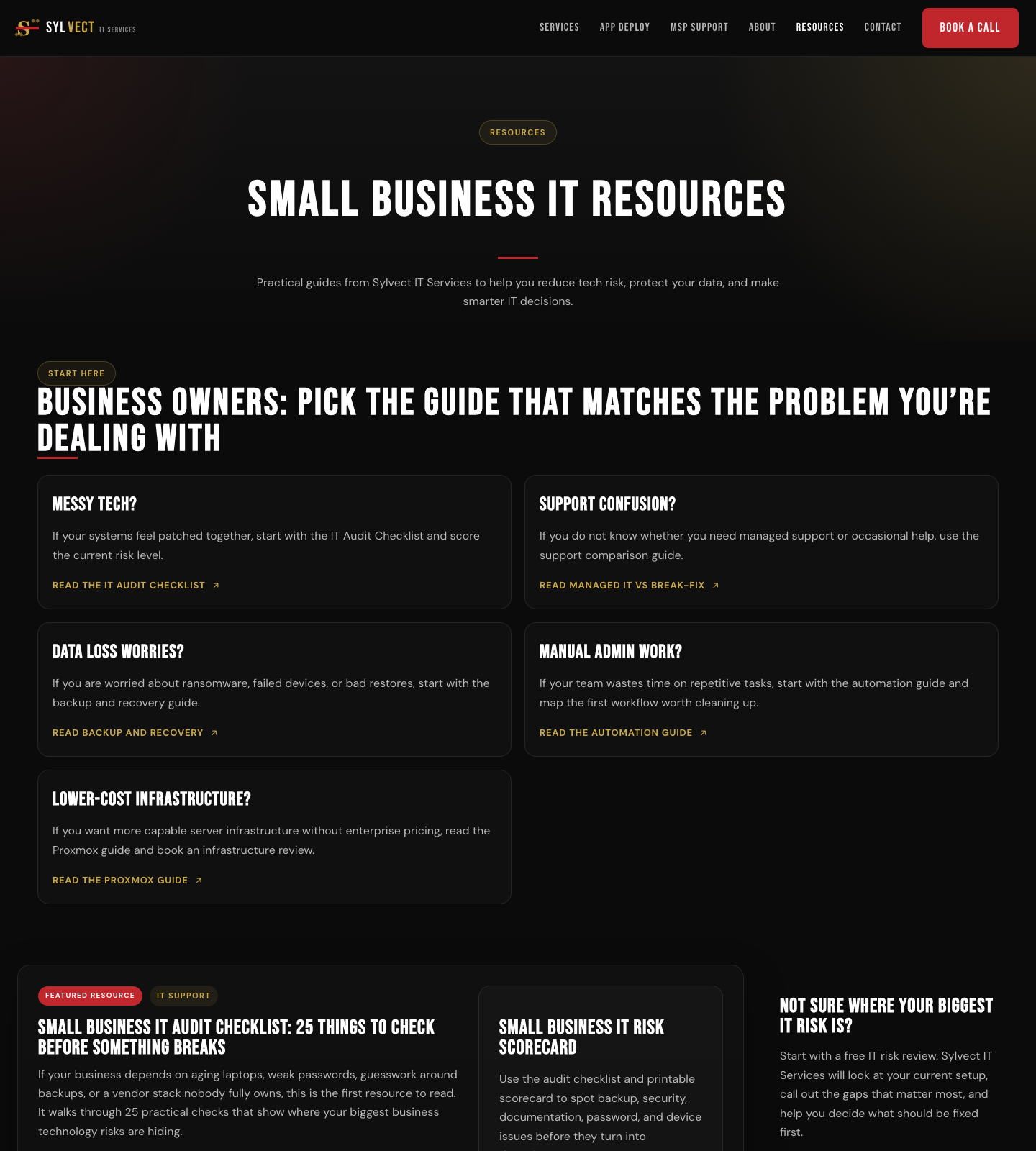
Audit the resources section as a visitor and as a search crawler. Confirm every listed resource opens, category labels make sense to readers, internal working labels are not visible, resource CTAs work, canonical metadata is present, and the newest article appears in the listing.Service Offer Accuracy
The app-deployment page had a monthly support package that needed to become a contact option. The screenshot below verifies that the third card now routes the visitor toward a fit review instead of presenting a fixed monthly plan.
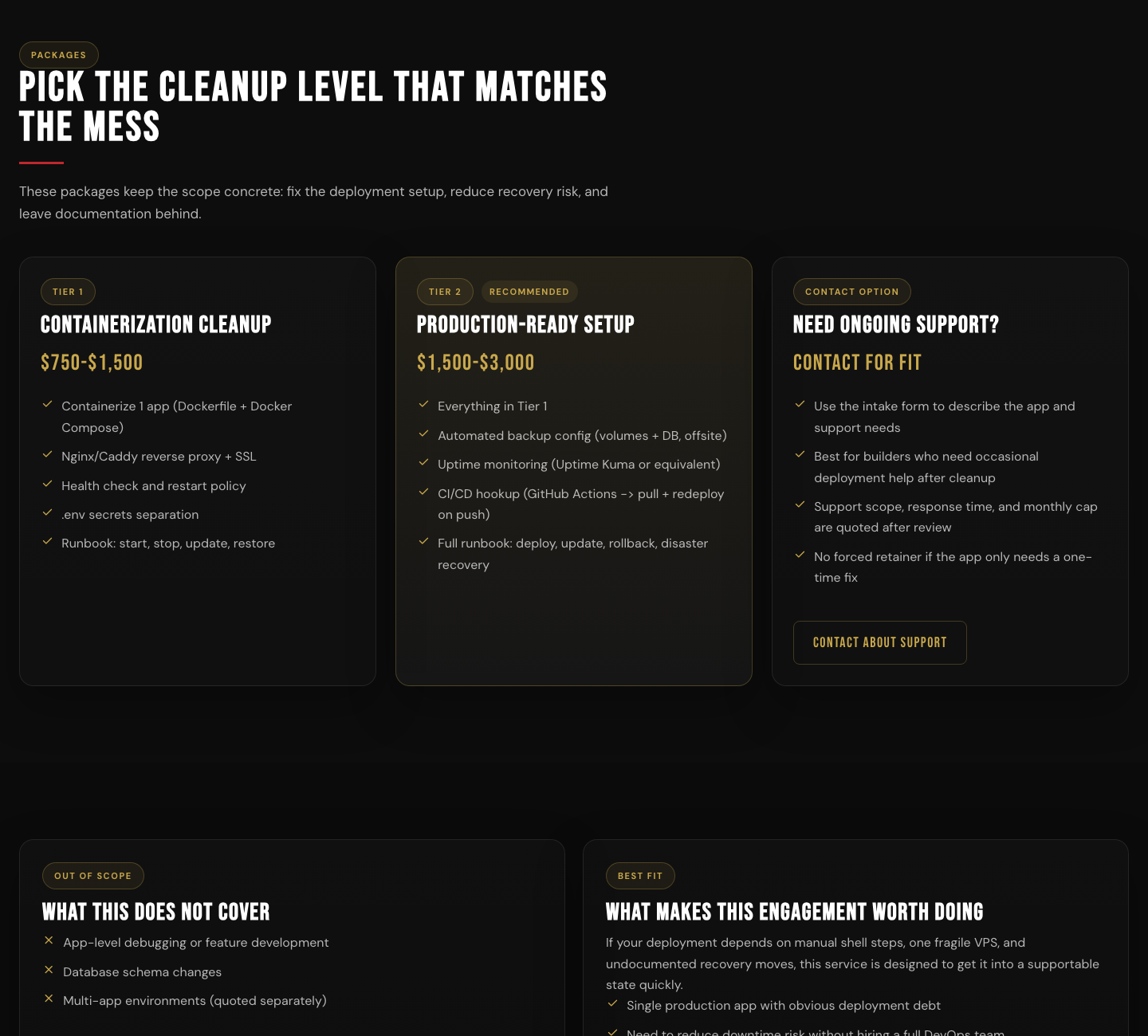
Review service pages for CTA accuracy. Confirm each package or option matches the current offer, pricing language is intentional, buttons route to the right form or section, and no outdated offer remains visible after deployment.Mobile Rendering
Mobile layout failures are easy to miss when the site looks good on a desktop monitor. During the audit, two resource articles had mobile overflow issues. The remediation fixed the responsive layout.
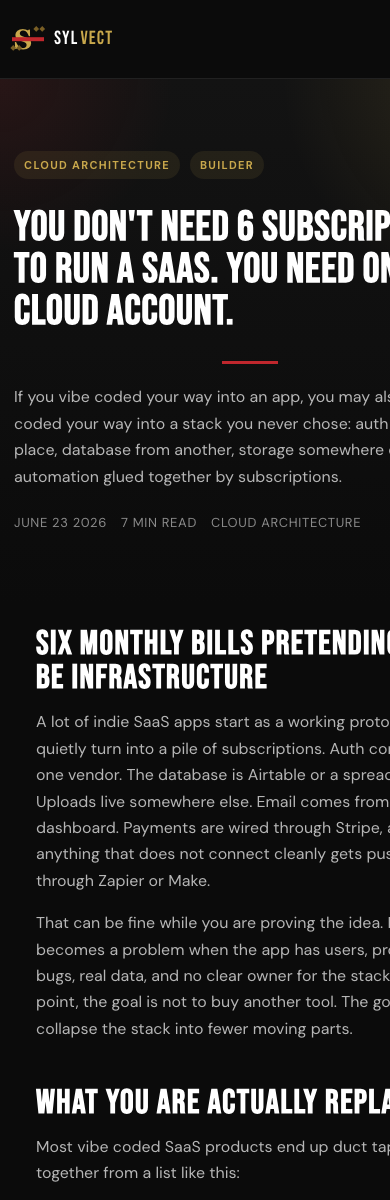
Test the deployed site at common mobile widths. Check every key page for horizontal overflow, overlapping text, clipped buttons, inaccessible navigation, oversized tables, broken cards, tap target issues, and content hidden under sticky headers. Provide screenshots and CSS-level remediation suggestions.Findings and Remediation
The first report grouped real failures instead of mixing them with cosmetic preferences. The main fixes covered CSP, Calendly, owner email routing, mobile overflow, resource labels, service offer language, and metadata.
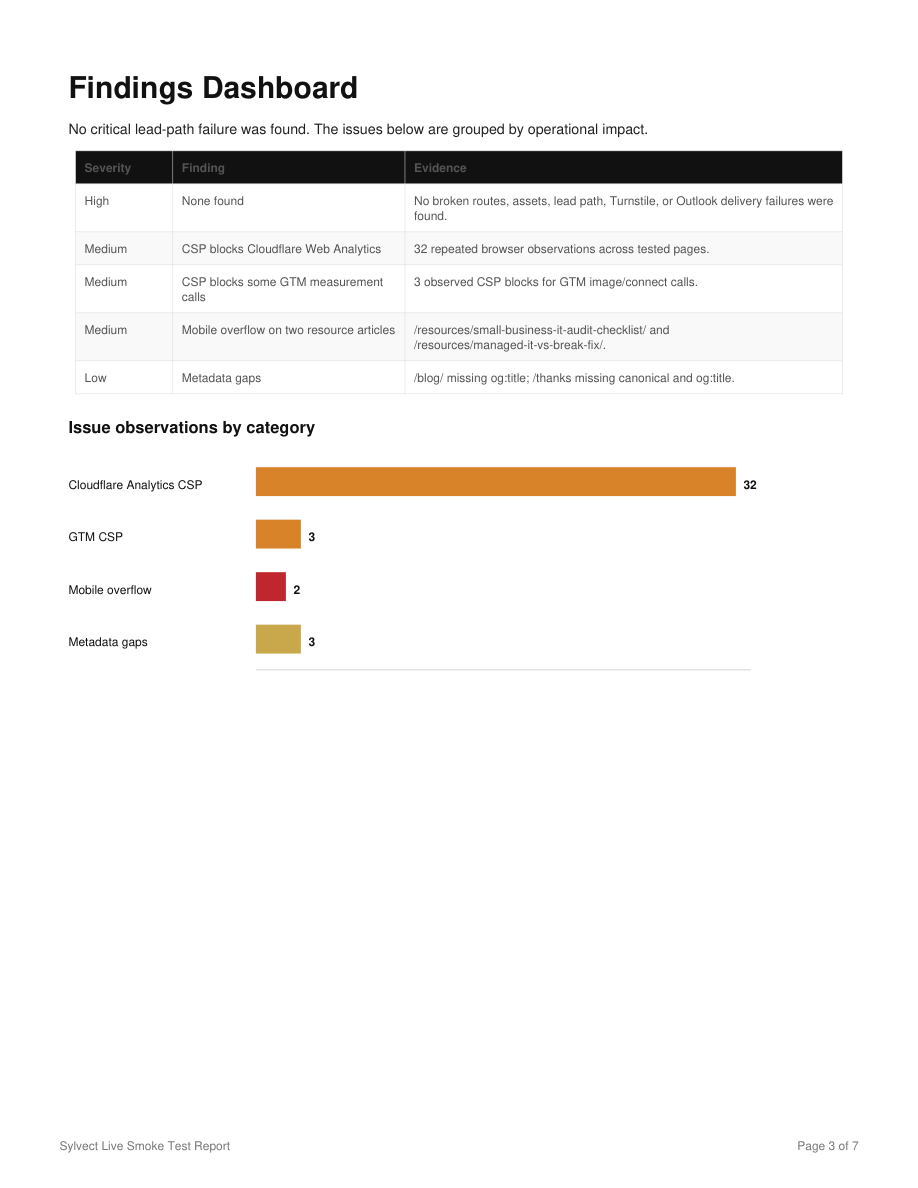
| Issue | Fix |
|---|---|
| Analytics blocked by CSP | Updated script and connect sources. |
| Calendly missing after intake | Restored thank-you embed and booking redirect. |
| Owner no longer receiving leads | Restored owner email fallback and Cloudflare secret. |
| Mobile article overflow | Adjusted responsive CSS. |
| Internal labels visible | Removed visitor-facing working labels. |
| Monthly support mismatch | Changed package card into contact option. |
Before and After Evidence
Evidence keeps the process honest. Each issue needed a before state, a fix, a production deploy, and a retest.
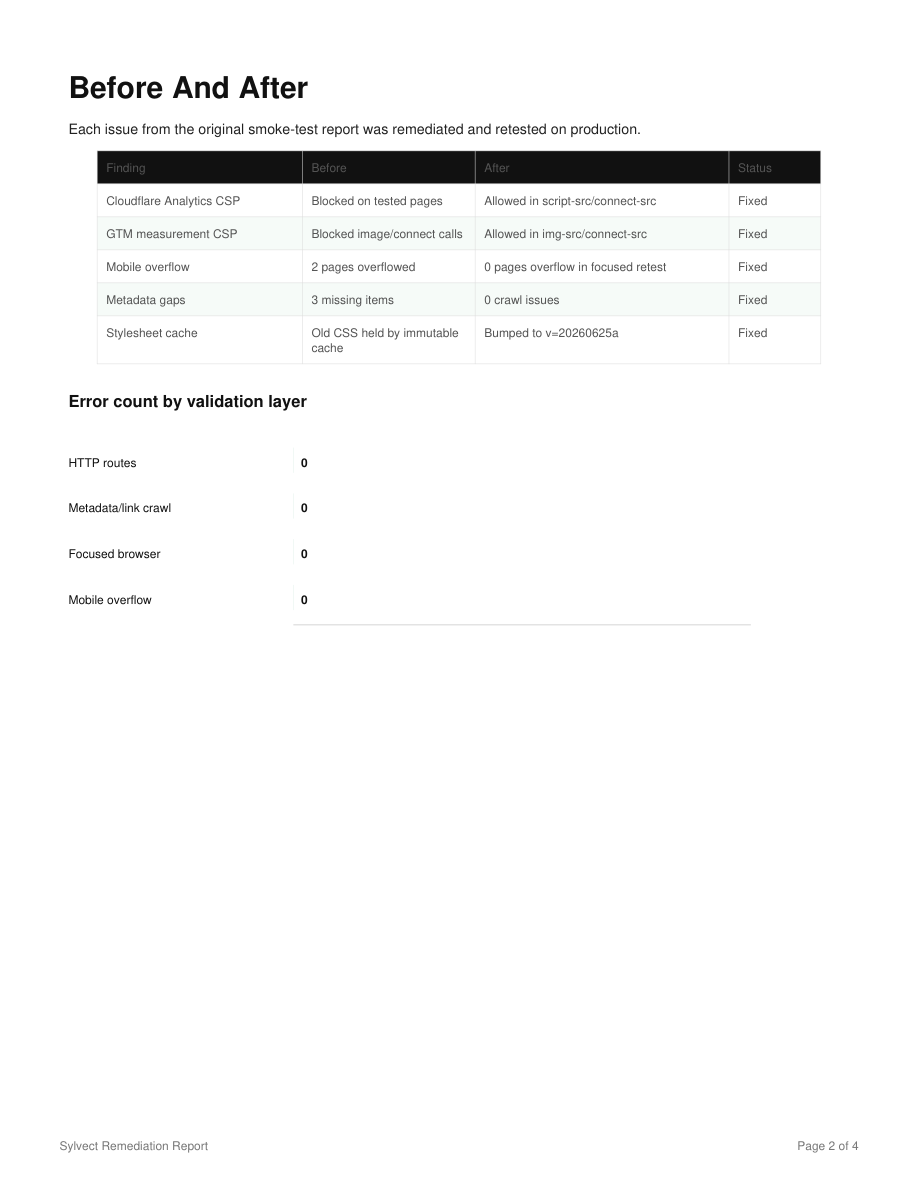
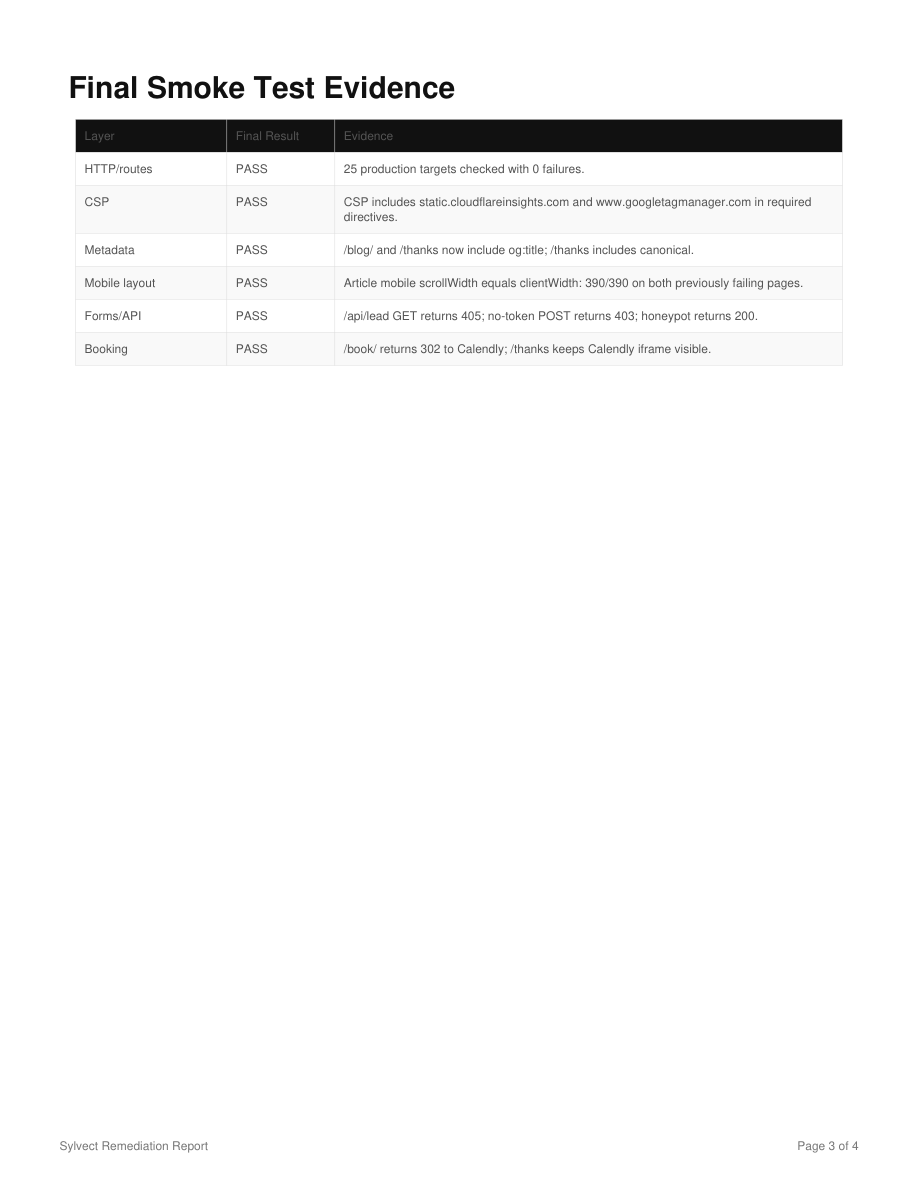
Final Production Verification
The final pass confirmed that the production domain served the remediated pages and that the focused browser pass had no remaining active smoke-test errors.
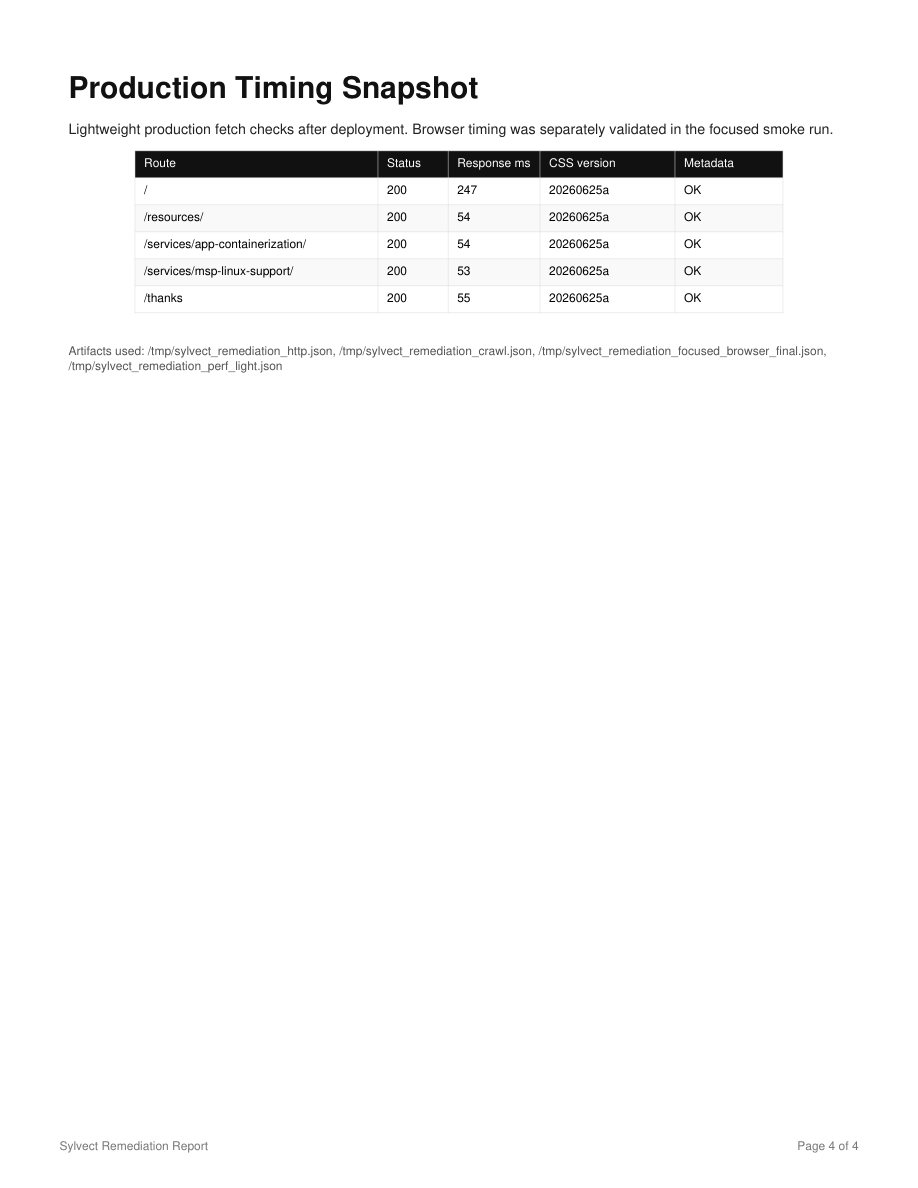
Verify the latest production deployment. Confirm the production domain serves the changed files, cache has propagated, critical pages return 200, redirects behave correctly, fixed UI text is visible, the form still submits, the booking flow still works, and the browser console is clean on the tested pages.Repeatable Checklist
- Write the test scope before changing anything.
- Confirm production URLs return 200.
- Check robots.txt and sitemap.xml.
- Open the homepage and all top-level navigation.
- Open each service page.
- Open the resources or blog index.
- Open individual resource pages.
- Capture desktop screenshots.
- Capture mobile screenshots.
- Fill the lead form with SMOKE TEST data only when approved.
- Confirm redirect after form submission.
- Confirm owner notification delivery.
- Confirm prospect confirmation delivery.
- Confirm Calendly or scheduler path.
- Stop before creating a real calendar appointment unless approved.
- Check browser console errors.
- Check blocked network requests.
- Check CSP headers.
- Check metadata and structured data.
- Group findings by business impact.
- Fix one issue category at a time.
- Deploy to production.
- Retest the same failed behavior.
- Capture before and after evidence.
- Produce a report the owner can understand.
Want This Same Process Run on Your Site?
Sylvect can audit a live website funnel, document what fails, fix the verified issues, and retest the deployed site so you know whether visitors can actually become leads.